
Peech
PeechProductivity
2.7190.00 Reviews
- Version
- 3.1.0
- Installs
- 50.00K
- Age Rating
- Everyone
Screenshots


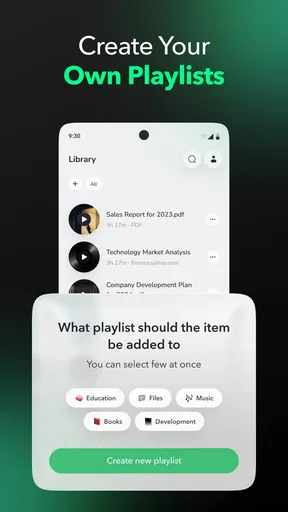
Our Review of Peech
 Analysis by Appyee
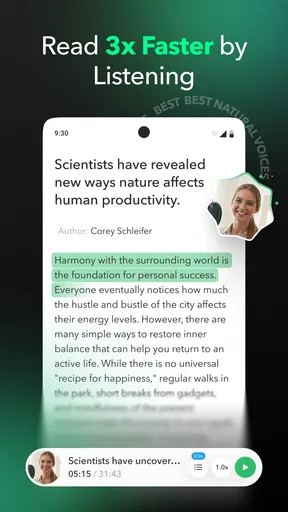
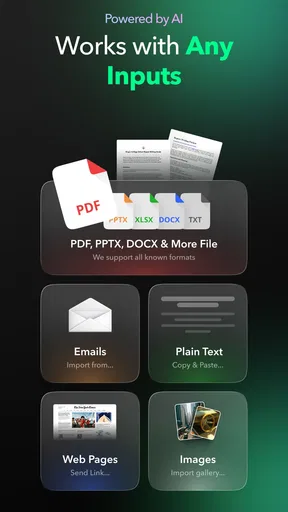
I installed Peech expecting a simple way to turn reading into listening, and that is still the clearest reason to try it. It is a free productivity app from Peech built around reading books, articles, emails, PDFs, and documents aloud. The idea is familiar, but the useful question is not whether an app can speak text. It is whether listening becomes convenient enough to keep using after the first burst of curiosity disappears.
My first impression was positive because the concept fits real interruptions. I can listen while tidying up, walking, commuting, or doing routine work instead of leaving every saved article untouched. Peech is also approachable for people who find long blocks of text tiring, including anyone who wants to rest their eyes without abandoning reading altogether. At the same time, it is not a replacement for every reading situation. When I need to scan a table, compare paragraphs, inspect formatting, or jump between references, visual reading remains faster.
The app sits in the productivity category, but I think of it more specifically as a listening layer for written material. Its current version is 3.1.0, and it requires Android 10 or later. It is free to install, with optional in-app purchases ranging from $3.99 to $99.99 per item. That pricing range matters because the free experience is enough to judge the basic idea, while regular listeners should consider how much of their routine they want to place behind paid options.
From first-week appeal to lasting usefulness
I look at long-term usefulness as a question of fit, not novelty: the best test is whether listening helps me finish the kinds of written material I already postpone. In the next section, I turn to what the current version and release history can actually tell us, separating confirmed changes from hopes about where Peech might go next.
Why the first few sessions feel so practical
The strongest early appeal is the change in context. A document that would normally wait for a quiet desk can become something I consume during a low-attention part of the day. This is especially helpful for emails and articles, where the goal is often to understand the main message rather than admire the page layout. Listening also gives me a way to revisit material I already meant to read but kept postponing.
I found the best early workflow was selective rather than ambitious. Instead of sending every interesting link or document into the app, I would choose one useful item and listen to it during a predictable activity. That small habit makes Peech feel like a practical tool instead of another inbox. If I loaded too much at once, the app became part of the clutter problem: another place full of good intentions.
Books are a different test. Spoken narration can make a long reading session feel less demanding, but the result depends heavily on the source text and the voice experience. Fiction benefits from a natural rhythm and clear dialogue, while technical material often needs pauses and visual checking. I would use Peech confidently for essays, correspondence, and straightforward prose, but I would keep a document open when accuracy or formatting is important.
A realistic everyday scenario
Imagine receiving a long project brief by email late in the afternoon. You do not have the concentration for a close screen read, but you still need to understand its structure before the next morning. I would put the brief into Peech, listen while preparing dinner, and note the sections that deserve a proper visual review later. That does not turn listening into a complete substitute for reading; it gives me an efficient first pass and helps me decide where to spend focused attention.
The same approach works for a saved article. I can listen once to identify the argument, then return to the text for names, figures, or passages worth keeping. This two-stage method is one of the app’s more valuable possibilities because it separates comprehension from detailed reference. It also prevents a common mistake: assuming that hearing every word means I have retained every important detail.
Who benefits most from the format
Peech is a good match for people with a large backlog of readable material and limited uninterrupted screen time. It can also suit listeners who already use podcasts or audiobooks but want more control over their own written sources. Students may appreciate it for reviewing prose before a deeper study session, while professionals can use it for email triage or preliminary document familiarization.
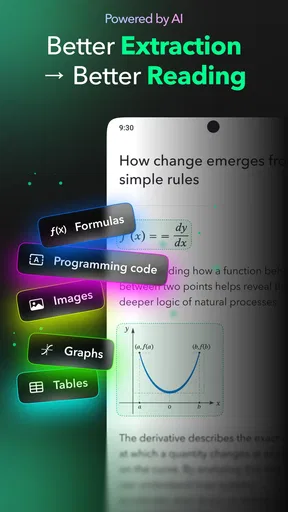
It is less convincing for readers whose work depends on visual structure. Spreadsheets, heavily formatted reports, code, diagrams, footnotes, and documents with frequent cross-references are difficult to absorb through speech alone. Anyone who needs exact quotations or close proofreading should treat spoken output as an aid, not as the authoritative view of the document.
How it compares with ordinary alternatives
The usual alternative is the operating system’s built-in text-to-speech or an accessibility reader. Those tools can be excellent when I only need a page read aloud, and they may require less setup for occasional use. Peech becomes more interesting when I want a dedicated place for different kinds of written material, especially if I am trying to build a repeatable listening routine rather than activate speech one screen at a time.
Audiobook apps are stronger when a professionally narrated edition already exists. They offer a finished listening product, while Peech is aimed at material that was written to be read, not necessarily recorded. Podcast apps are better for discovery and passive entertainment, but they do not solve the problem of turning my own articles, emails, PDFs, or documents into audio. The trade-off is clear: Peech offers flexibility, while specialized audio services usually offer more polished presentation.
The small workflow choices that improve results
My first useful tip is to divide material by listening purpose. Short emails and news-style articles work well for quick sessions, while longer documents deserve a place in the day when I can pause and return to them. Mixing everything together makes the queue harder to manage mentally, even if the app handles the content correctly.
My second tip is to preview visually before pressing play. A quick look at headings, warnings, tables, or names tells me whether the item is suitable for audio. This prevents wasting a session on a document whose meaning depends on layout. It also lets me mark the sections that need a later screen-based review.
A third, less obvious use is listening as an editing check. Reading my own draft aloud can expose awkward transitions, repeated words, and sentences that look acceptable but sound unnatural. I would not rely on Peech for a final proofread, especially where punctuation or formatting matters, but hearing a document can reveal problems that silent reading lets me overlook.
What happens after the novelty fades
The novelty of hearing familiar text aloud does fade. For me, the lasting value depends on whether the app removes a recurring obstacle: lack of time, eye fatigue, or an overloaded reading list. If none of those problems applies, Peech may become an occasional experiment. If one does apply, the app has a reasonable chance of earning a permanent place in a daily routine.
The key is not to measure success by how many documents enter the app. I get more value by using it to recover otherwise lost minutes and by choosing material that genuinely suits listening. A short article heard during a walk can be a win; a dense report played in the background while I am distracted may create the illusion of productivity without much understanding.
Month-to-month value and habit maintenance
After the initial week, I would judge Peech by three questions. Do I return to it without being reminded? Does it help me finish material I would otherwise ignore? Does the listening experience save enough effort to justify managing another app? If the answer is yes, its value compounds through repetition rather than through constant discovery.
The app’s broad source focus helps here. I am not limited to one type of content, so the routine can change with my schedule. Emails may matter during a busy work period, articles may dominate during travel, and longer documents may become useful when I need a first pass before a meeting. That variety gives the app more staying power than a tool tied to one narrow reading habit.
Still, variety can create maintenance work. I need to decide what deserves listening time, remove items that no longer matter, and remember which pieces require visual follow-up. Peech can reduce the friction of consuming text, but it cannot decide what is important for me. In practice, the quality of the habit depends on those small choices around the app.
Handling paid options without losing control
Because the app is free to start, I would use the unpaid experience as a test rather than committing immediately. I would first check whether the way I read—short articles, long documents, email, or books—matches what I want from the app. Only after a full routine feels useful would I consider an in-app purchase. The available purchase range is wide enough that casual and heavy users should think differently about value.
For an occasional listener, paying may not make sense if the built-in phone reader already covers the need. For someone who listens most days and uses several source types, a paid option could be easier to justify, but only if it removes a real recurring limitation. My advice is to evaluate the app by monthly behavior, not by the excitement of the first session. A feature used once is not good value merely because it sounds convenient.
The maintenance burden in ordinary use
Peech is not demanding in the way a complex project-management app can be, but it still asks for a little housekeeping. A listening queue can become a second backlog, and unfinished items can carry the same psychological weight as unread emails. I would keep the queue deliberately small and delete or skip anything that has lost its relevance.
There is also a difference between converting text and understanding it. I need to choose an appropriate time and environment, because spoken information competes with conversations, traffic, chores, and my own thoughts. The app makes content available in audio form; it does not guarantee attention. For important material, I would schedule a quiet follow-up rather than treating background listening as complete study.
Another maintenance habit is keeping source expectations realistic. A clean article usually makes a smoother listening session than a document full of headings, links, signatures, or repeated navigation text. Before relying on an item, I would listen to a short portion and decide whether the output is clear enough to continue. That quick check saves time and helps me avoid blaming the app for a source that was never well suited to conversion.
Where fatigue begins
The first source of fatigue is monotony. Even useful material can become tiring when every item is consumed in the same voice and at the same pace. Visual reading gives me instant control over emphasis and skipping; audio asks me to wait through each sentence. For long sessions, I would alternate between spoken content and normal reading instead of trying to turn the entire day into an audio feed.
The second is reduced precision. Listening is excellent for the general thread of an article, but it is slower when I need to compare two passages or locate a particular phrase. I may understand the topic while still being unable to retrieve the exact detail later. That is why I see Peech as a first-pass and accessibility tool more than a complete research environment.
The third is content mismatch. A PDF can be visually simple or structurally complicated, and the difference affects how useful audio becomes. Documents with columns, labels, lists, or embedded elements may require more attention than a continuous article. I would not build a critical workflow around spoken output without checking representative files first.
Accessibility and age suitability
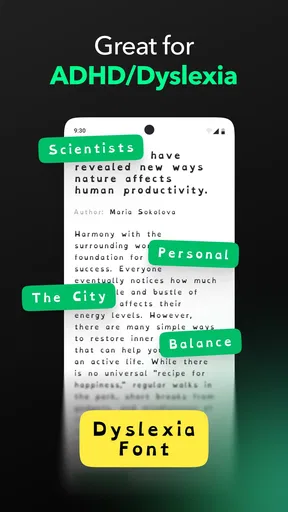
The Everyone content rating makes the app broadly approachable for general audiences. More importantly, the read-aloud format can be valuable for people who experience eye strain, have difficulty maintaining visual focus, or simply process some information better through hearing. I would still recommend adjusting expectations: accessibility support is strongest when the source text itself is clean and logically organized.
For families, I would treat the age rating as a general content classification rather than a guarantee that every imported document is suitable for every listener. The material comes from the user’s own reading needs, so parents and educators should choose sources carefully. The app can help make appropriate text more accessible, but it does not replace judgment about the content being listened to.
What the adoption signal tells me
Peech has passed 50 thousand installs, which shows that the idea has found a real audience, but it is not the same as proof that the app will fit every reading routine. Its average rating is 2.7 from roughly 982 ratings, with about 190 written reviews. I read that combination as a reason to approach it experimentally: the concept is useful, yet the day-to-day experience clearly deserves personal testing rather than blind enthusiasm.
That rating also reinforces my practical advice about source selection and habit design. A read-aloud app can feel excellent with a clean article and frustrating with a complicated document. Two users may therefore experience the same product very differently depending on what they feed into it and how they listen. I would judge it against my own most common sources, not against a single impressive demonstration.
Long-term verdict: useful tool, not an automatic keeper
After the novelty fades, I think Peech earns lasting space for a specific kind of user: someone with written material waiting in the wings and regular moments when listening is easier than looking at a screen. Its strongest quality is not that it makes every document effortless. It is that it can rescue useful reading from the gaps in a busy day.
I would skip it if I mainly read visually, work with highly formatted documents, or already have a reliable system using built-in text-to-speech. I would also hesitate if I dislike maintaining queues, because the app can turn an unread pile into an audio backlog without solving the underlying problem. In those cases, a simpler accessibility reader or a professional audiobook service may be the better choice.
For me, the best long-term workflow is modest: select worthwhile material, listen during genuinely low-conflict activities, and return to the original text whenever precision matters. That approach keeps the app from becoming background noise and makes its flexibility count. Peech is free to begin and available to a broad audience, but its real value appears only when it becomes part of a repeatable habit.
My final recommendation is cautious but positive. Try it with the exact emails, articles, PDFs, or documents you regularly postpone, then give the routine enough time to prove itself. If it consistently converts unused moments into useful first passes, it deserves a place on your phone. If it merely creates another queue to manage, the familiar alternatives will probably serve you better.
Verdict
Strengths of Peech
- Turns written content into engaging videos with minimal editing effort.
- Offers AI voiceovers and subtitles for more accessible content.
- Useful templates help maintain a consistent visual style across videos.
- Can repurpose articles and social posts for multiple platforms.
- Saves time for creators who lack advanced video production skills.
Limitations of Peech
- AI narration may sound unnatural in some languages or accents.
- Customization options can feel limited compared with professional editors.
- Export quality and available formats may depend on the subscription plan.
- Longer articles may require manual trimming and scene adjustments.
- Some features rely on an internet connection and cloud processing.
Similar Picks in This Category
View All
Google Calendar
Google LLC4.6

Google Drive
Google LLC4.3

Google Assistant
Google LLC3.9

Microsoft OneDrive
Microsoft Corporation4.6

Samsung Calendar
Samsung Electronics Co., Ltd.4.1

Microsoft OneNote: Save Notes
Microsoft Corporation4.6
Frequently Asked Questions
What is Peech and what can I use it for?
Peech is a video-focused application designed to help users create, edit, or manage short-form visual content, depending on the version available in their region. It may be useful for social media posts, promotional clips, personal projects, or repurposing longer videos. Before downloading, check the current store description because features and supported content types can change between updates.
Is Peech free to download and use?
Peech may be available to download at no initial cost, but some tools, exports, templates, or advanced options can require a paid subscription or in-app purchase. I recommend reviewing the pricing screen carefully before starting a trial, especially the renewal terms and cancellation process. Free access may also include limitations such as watermarks, restricted quality, or usage caps.
Does Peech work on both Android and iPhone?
Availability depends on the official release and your location. Peech may be offered through one or both major mobile platforms, while certain features can differ between Android and iOS versions. Check the Google Play Store or Apple App Store listing for compatible operating-system versions, device requirements, and the latest update date before installing it on an older phone or tablet.
Is an account required to use Peech?
Peech may allow limited access without registration, but an account can be required for saving projects, synchronizing content, accessing cloud-based tools, or managing a subscription. If you sign in, review which permissions and personal details are requested. Avoid uploading private or sensitive videos unless you understand how the service stores, processes, and deletes your content.
What should I check before downloading Peech?
Before installing Peech, verify that your device has enough free storage, a stable internet connection, and a supported operating-system version. Video applications can use considerable storage and processing power, particularly during uploads or exports. Also read recent user reviews, examine privacy and subscription information, and confirm that the available editing or content-creation features match what you actually need.
